DNS Record Types Explained
How Your Browser Finds a Website
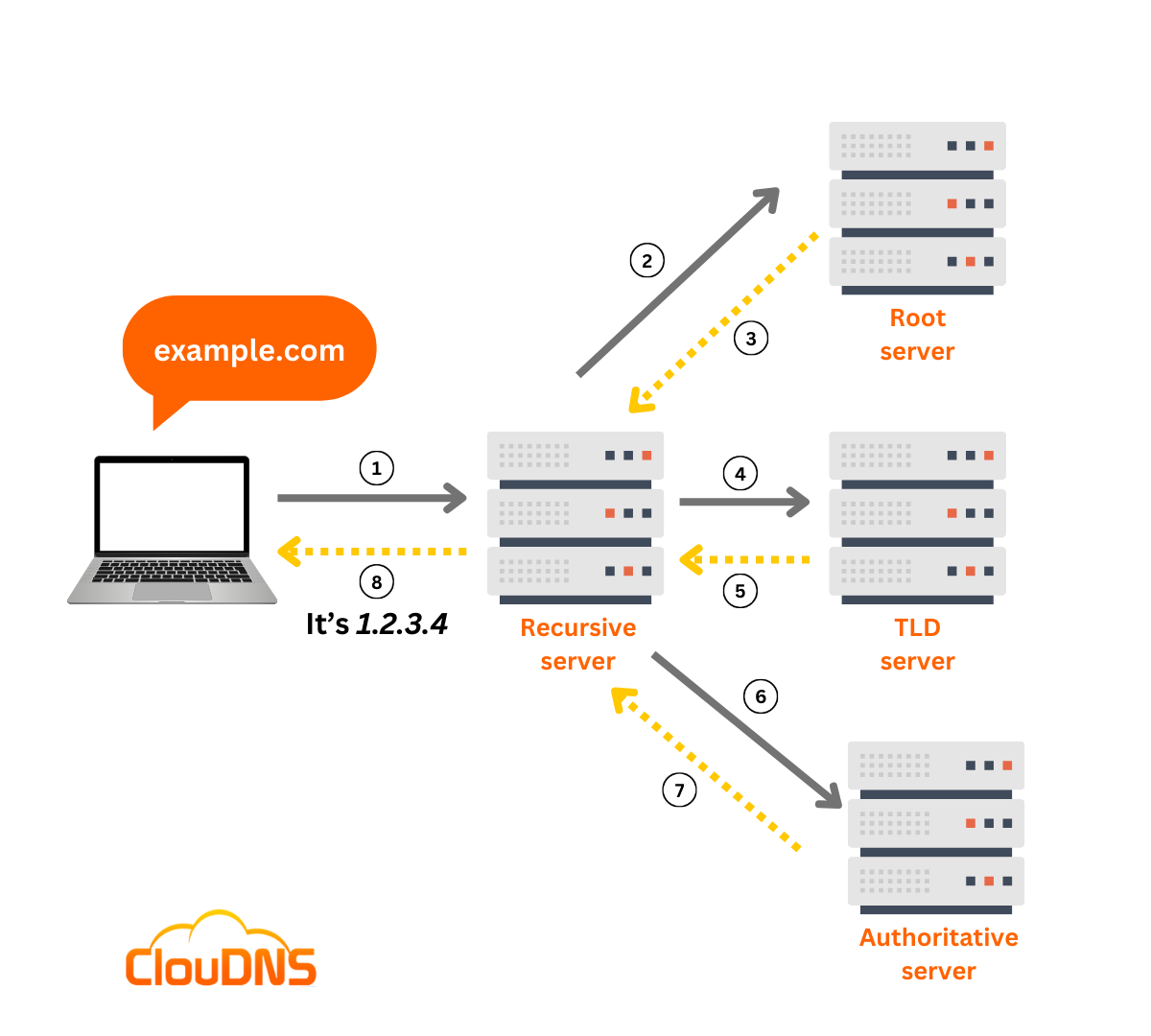
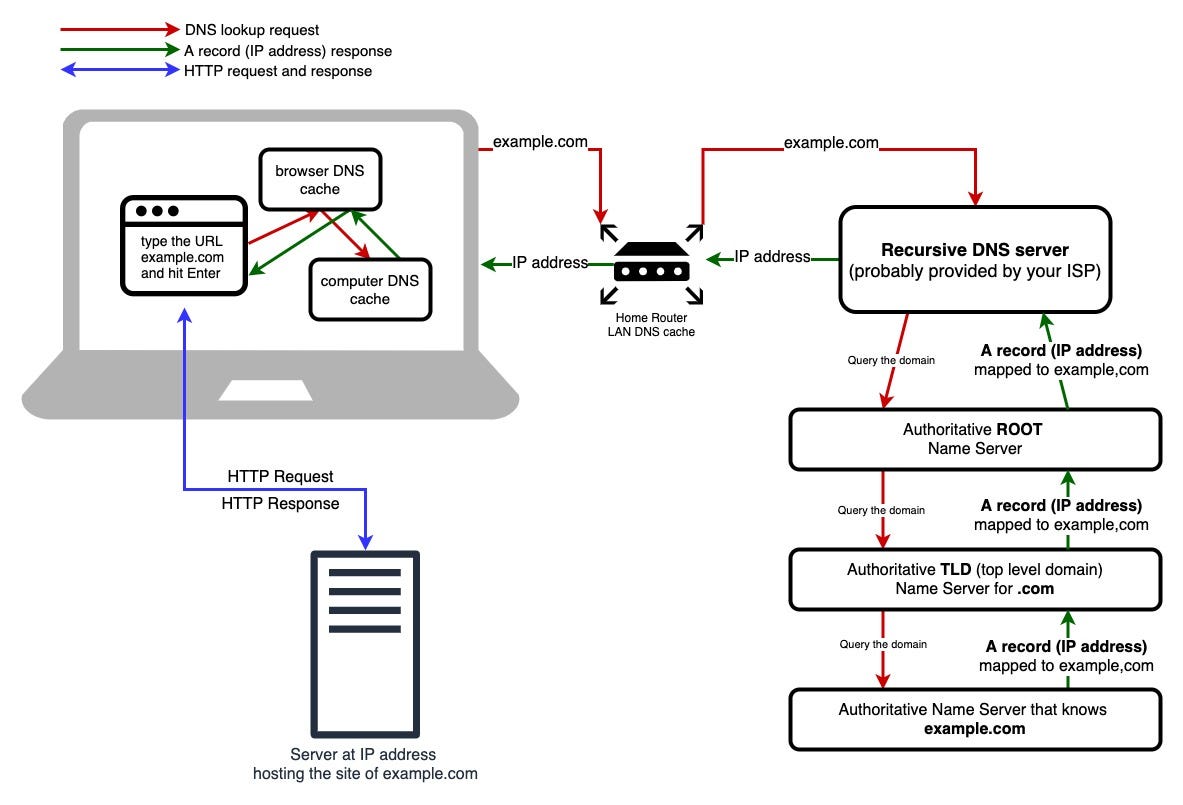
Have you ever wondered what happens when you type a website name like google.com into your browser? How does the browser know where Google lives?
The answer lies in the fact that browsers don’t understand names—they only understand numbers called IP addresses. Before a website can load, the browser has to answer a simple but critical question:
“Where is this website located?”
This is where DNS, or Domain Name System, comes into play.
What is DNS?
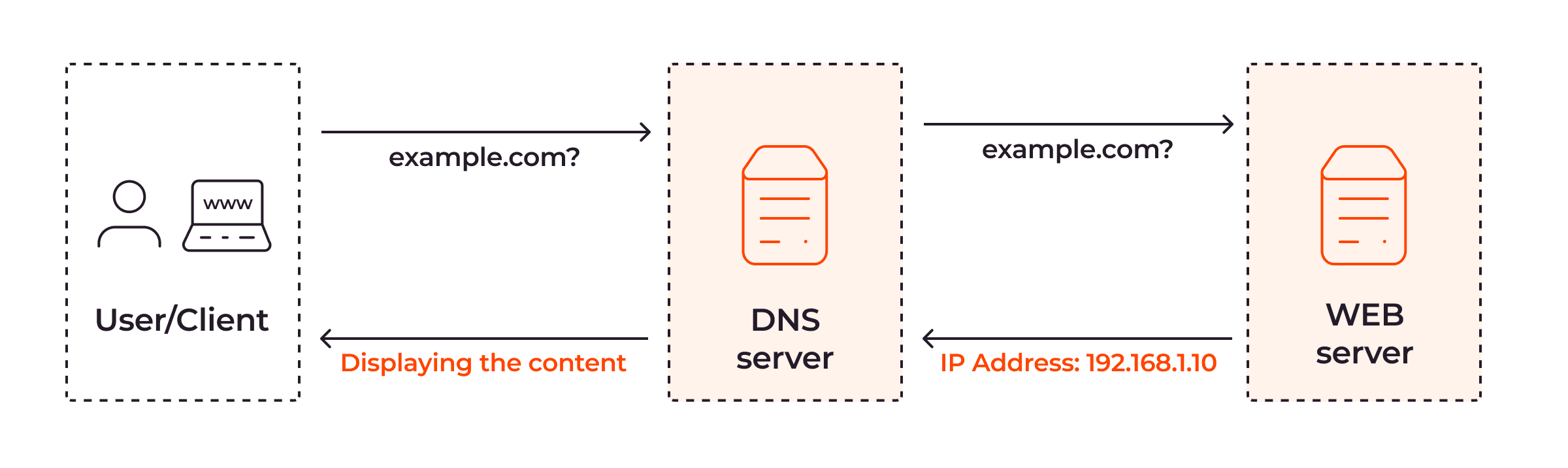
DNS is essentially the phonebook of the Internet. It translates human-friendly names like google.com into numeric IP addresses like 142.250.190.78 that computers use to connect.
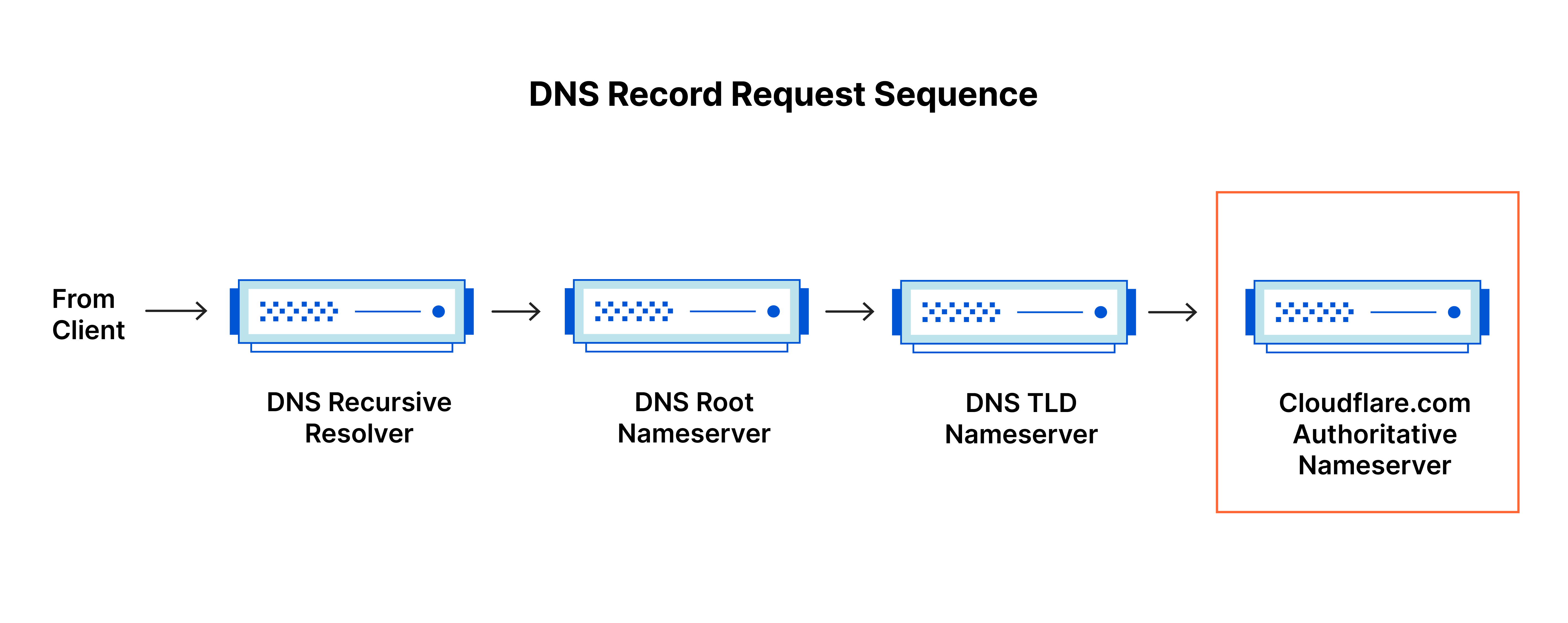
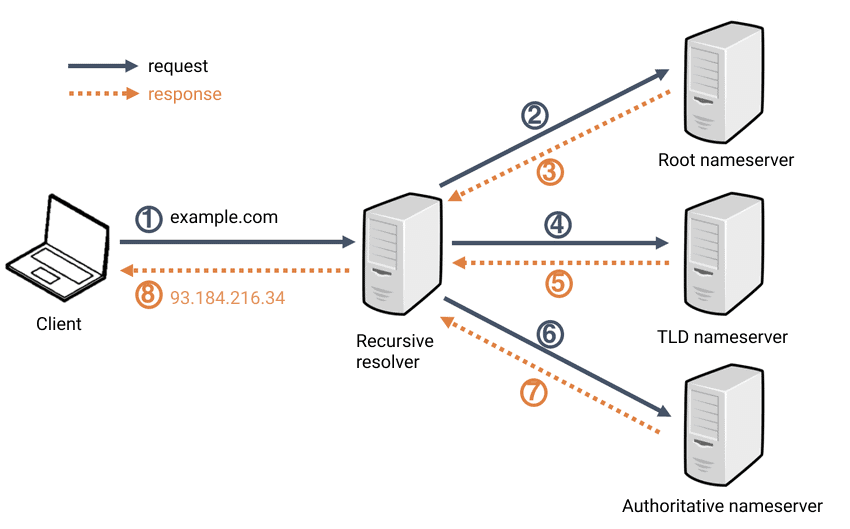
Without DNS, the Internet wouldn’t exist, but using it would be extremely cumbersome. You would need to memorize the IP addresses of every website you wanted to visit. Imagine typing 142.250.190.78 every time you wanted to open Google—definitely not user-friendly!
Why Do We Need DNS Records?
A single domain doesn’t just host a website—it can do many things:
Serve a website
Receives email
Verify domain ownership
Point to multiple subdomains
Provide control to third-party services
Trying to handle all of this with a single setting would be chaotic. That’s why DNS uses records, with each record answering a specific question.
Let’s break down the main DNS record types and their roles:
NS Record – Who Is Responsible for the Domain?
The NS (Name Server) record answers:
“Who is allowed to answer DNS questions for this domain?”
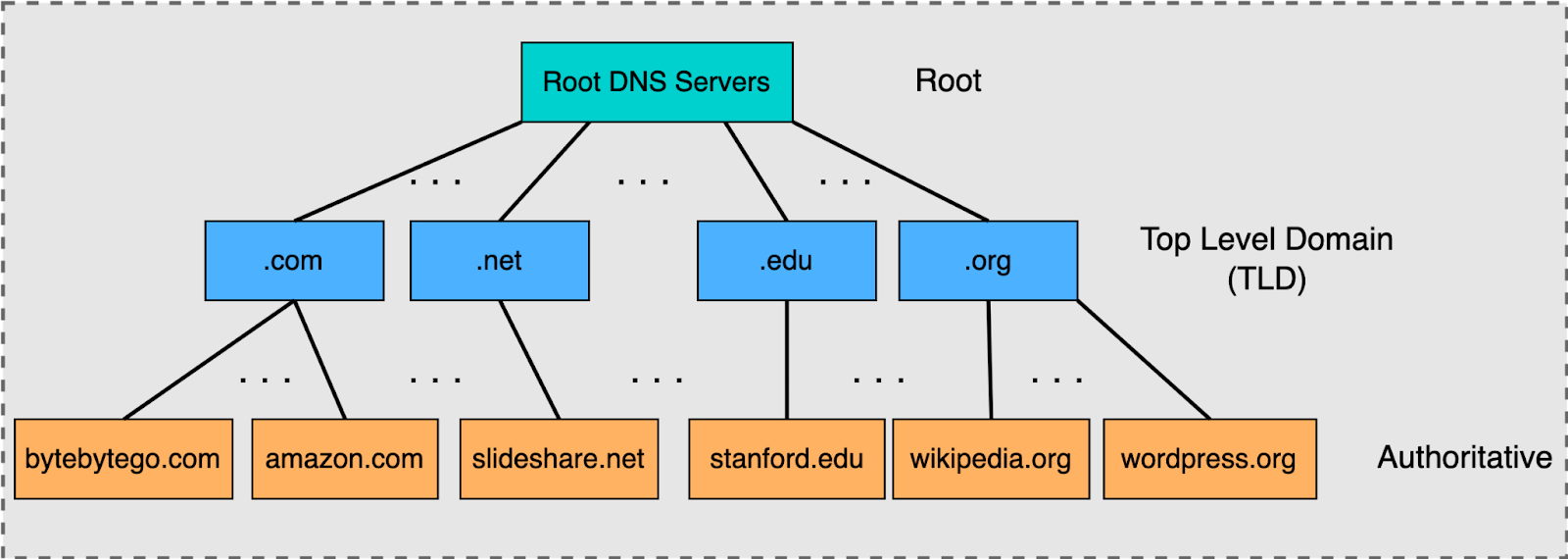
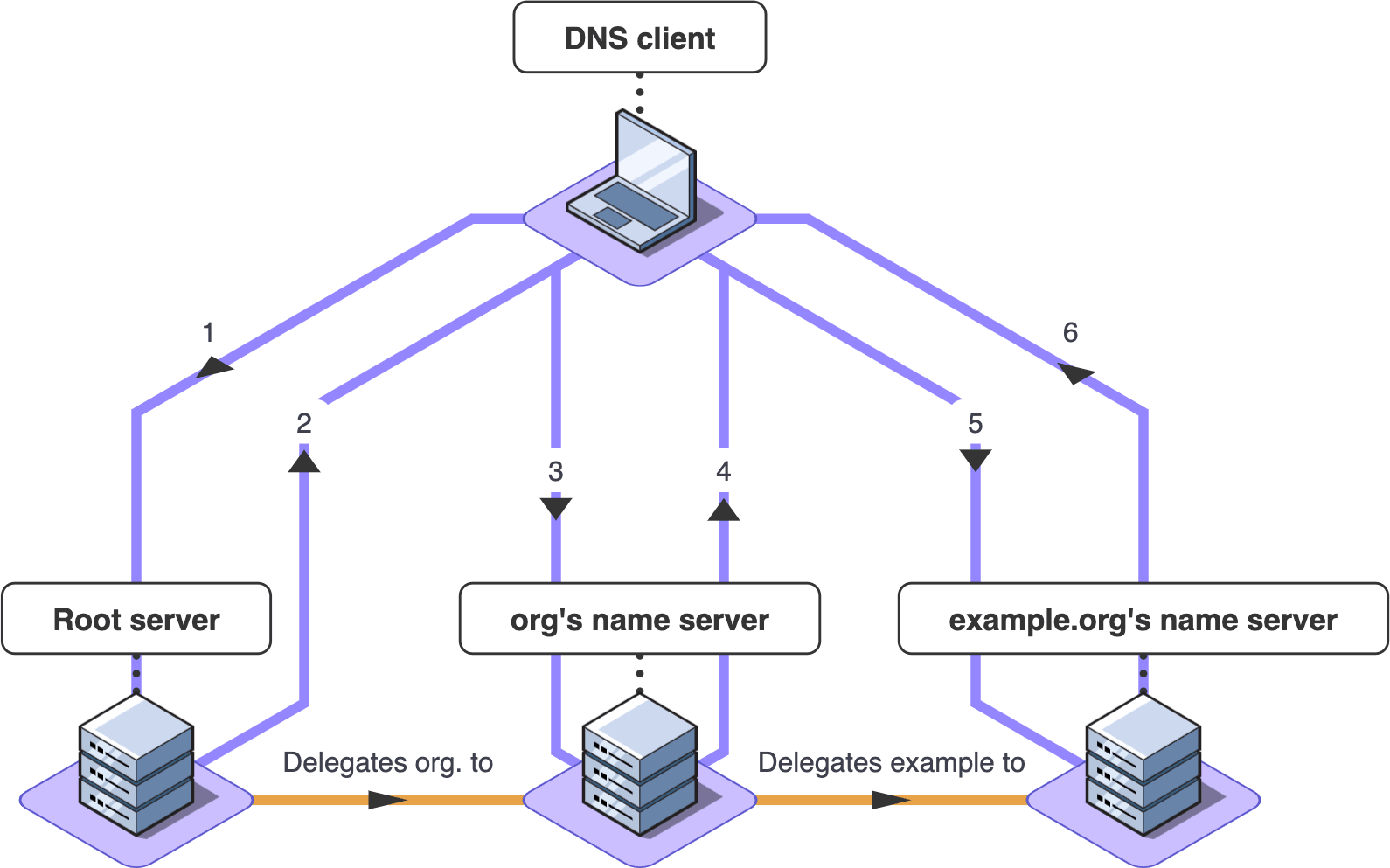
Think of it as the gatekeeper. NS records don’t point to your website or email—they point to DNS servers that know how to handle requests for your domain.
Before the internet trusts any answer about a domain, it checks:
“Which DNS servers are responsible for this domain?”
⚠️ If NS records are misconfigured, nothing else will work properly—your website might not load, and email could fail to deliver.
NS records do not point to websites or mail servers, and they point only to DNS servers.
A Record – Domain Name to IPv4 Address
The A record solves the most fundamental problem:
“What is the IP address of this domain?”
Example:
example.com → 93.184.216.34
Once the browser gets this number, it knows exactly where to go.
A records use IPv4 addresses, the traditional format with four numbers separated by dots.

AAAA Record – Domain Name to IPv6 Address
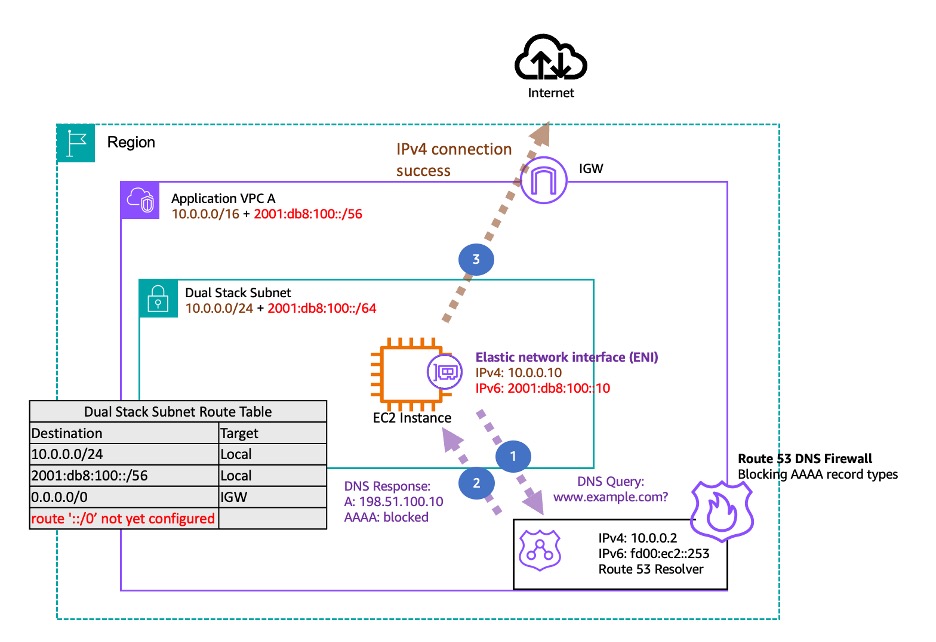
The AAAA record does the same job as an A record, but for IPv6:
Example:
example.com → 2001:db8::1
IPv6 exists because IPv4 addresses are running out—there are simply more devices than IPv4 addresses can handle. IPv6 provides an enormous address space, making it future-proof. Most modern websites have both A and AAAA records, and your browser automatically chooses the right one.

CNAME Record – One Name Pointing to Another Name
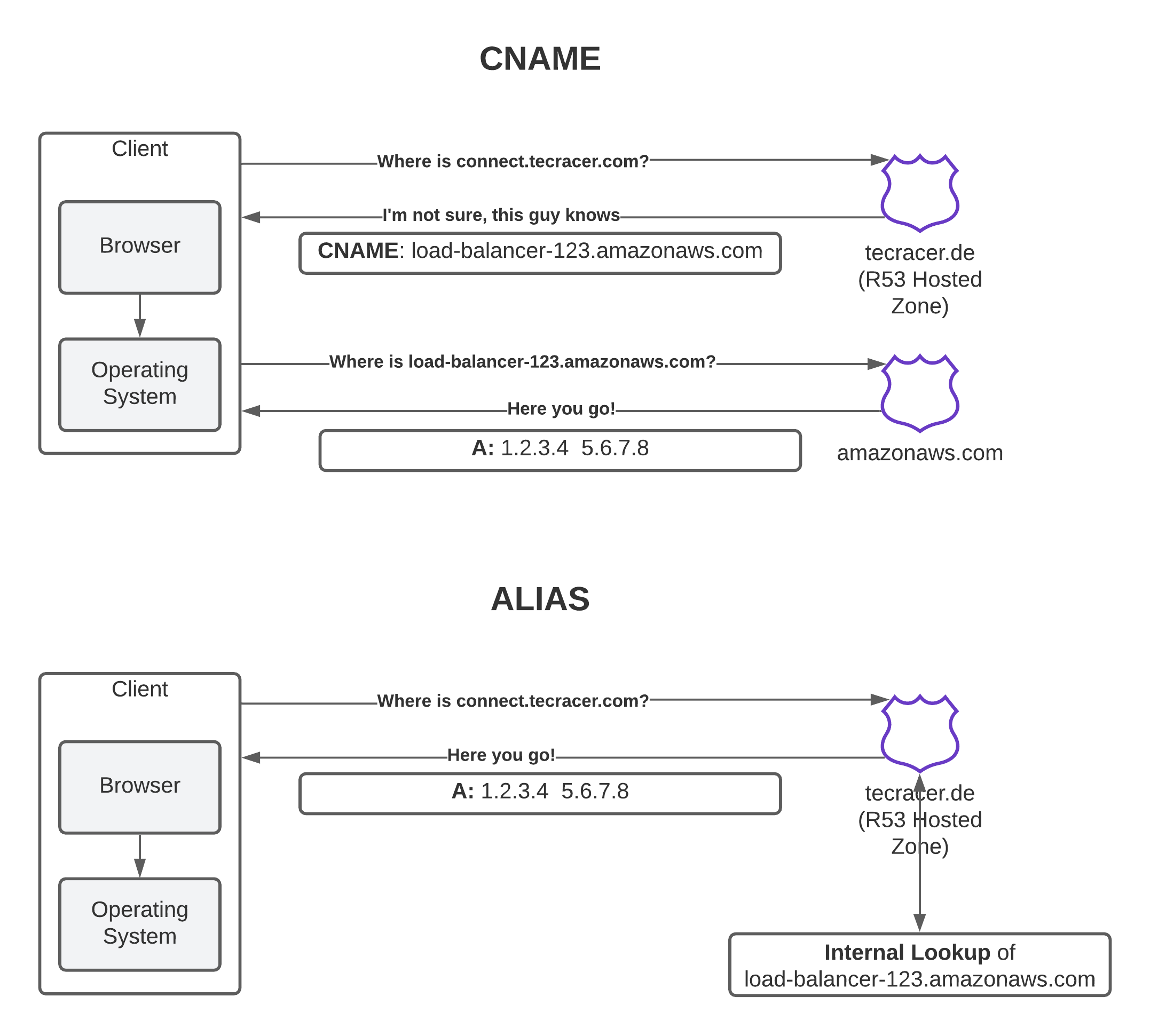
Sometimes a domain needs an alias. That’s where CNAME (Canonical Name) records come in:
“This name is just another name for that one.”
Example:
blog.example.com -> www.example.com
The browser then looks up www.example.com to get its IP address.
Key rules about CNAMEs:
They never point directly to an IP address.
They always point to another domain name.
CNAMEs are commonly used for subdomains or when a service provider hosts your domain elsewhere.
MX Record – Directing Email Traffic
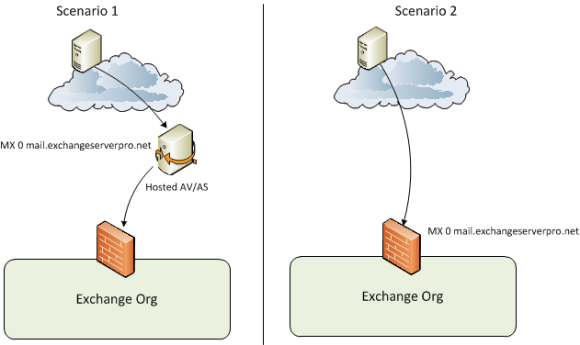
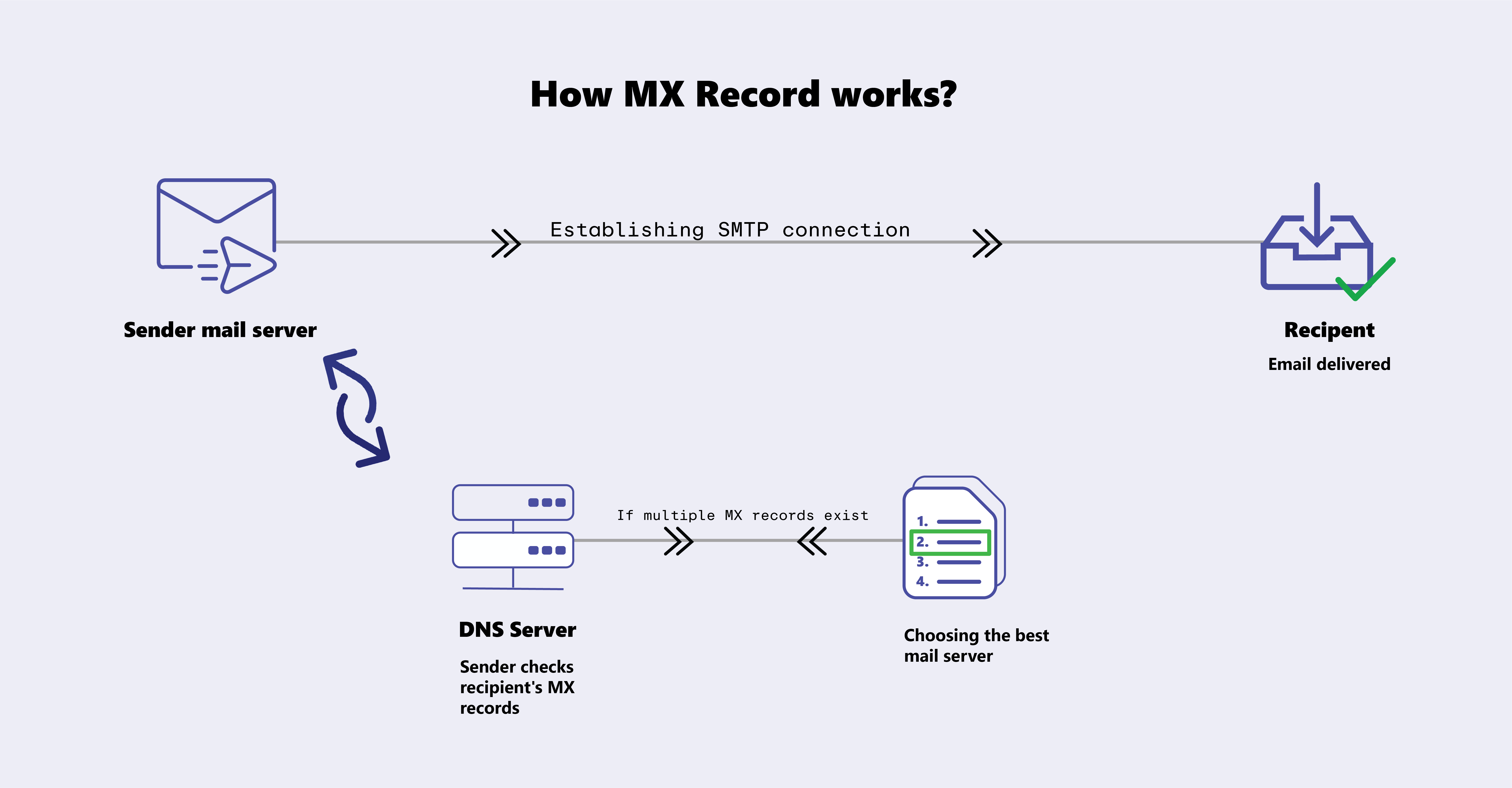
Web traffic and email traffic are handled separately. The MX (Mail Exchange) record answers:
“Where should emails for this domain be delivered?”
When someone sends an email to:
user@example.com
The sending server queries DNS for the MX record and routes the email to the correct mail server. MX records can also include priority values, allowing backup mail servers to handle email if the primary server is down.
TXT Record – Extra Information and Verification
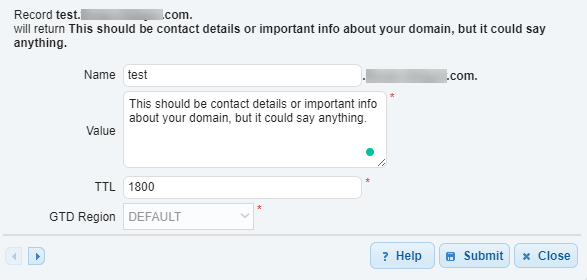
The TXT record stores plain text information for machines to read.
It is commonly used for:
Email security rules (SPF, DKIM, DMARC)
Domain ownership verification
General instructions for services that need proof of domain control
TXT records are the flexible “notes” of DNS—they exist so that the Internet has a safe place to store information that doesn’t fit into other records.
How DNS Records Work Together
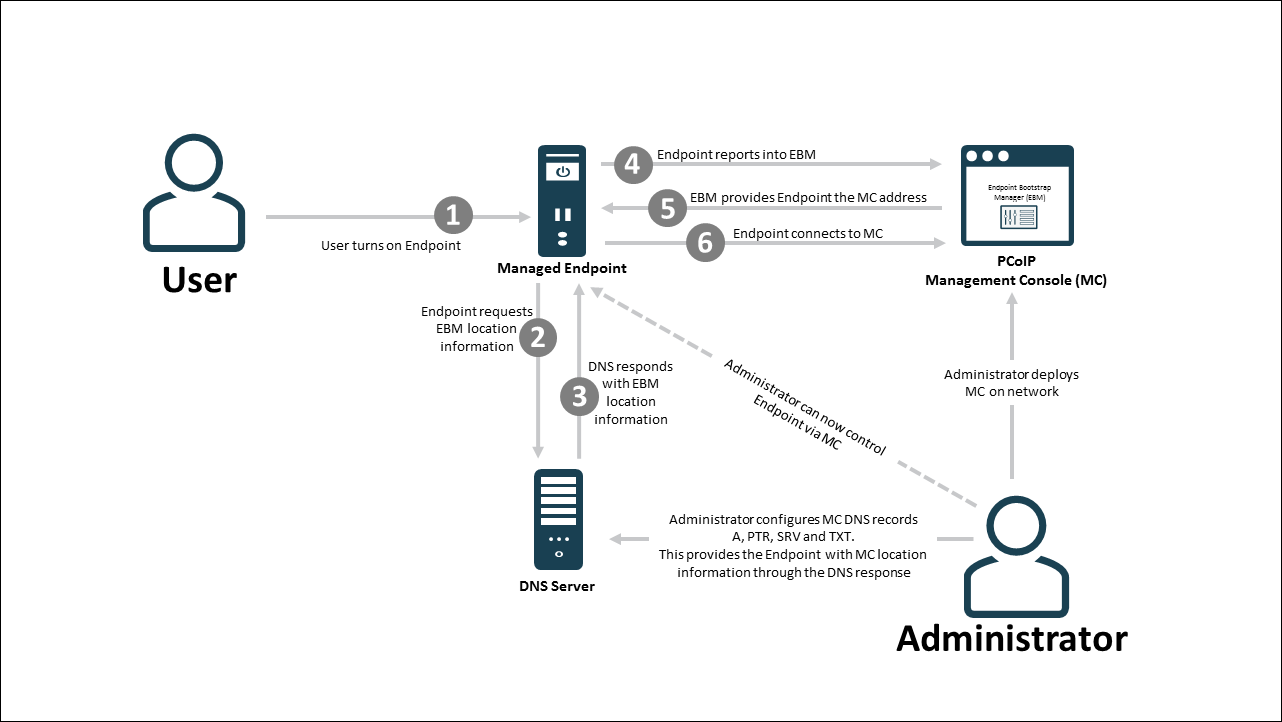
A single domain usually has multiple DNS records simultaneously. Here’s how they collaborate:
NS records decide who controls DNS
A / AAAA records point to the website server
CNAME records handle alternate names
MX records route email
TXT records handle security and verification
Each record solves a different problem, but together they form a complete map for the domain.
Common Confusions Explained
A vs CNAME:
A → points directly to an IP
CNAME → points to another domain
Use CNAME when you want one domain to redirect to another domain’s DNS.
NS vs MX:
NS → who controls DNS
MX → where email is delivered
They operate at different layers—never confuse the two.
Final Thoughts
DNS is a quiet cornerstone of the Internet. It turns human-friendly names into the addresses that make websites, email, and domain verification work. Every time you visit a site, DNS is working behind the scenes to get you there.


